FamilyTree: Build your family tree easily on your computer
Create and manage a complete family tree with detailed profiles, multiple photos per person and an interactive world map — while keeping your family data stored locally on your computer instead of in an online genealogy database.
- ✓ Interactive family tree
- ✓ Complete profiles with multiple photos, events and personal notes
- ✓ Interactive world map based on your family's birth and residence locations
- ✓ Data stored locally
- ✓ Compatible with Windows 10/11 and macOS
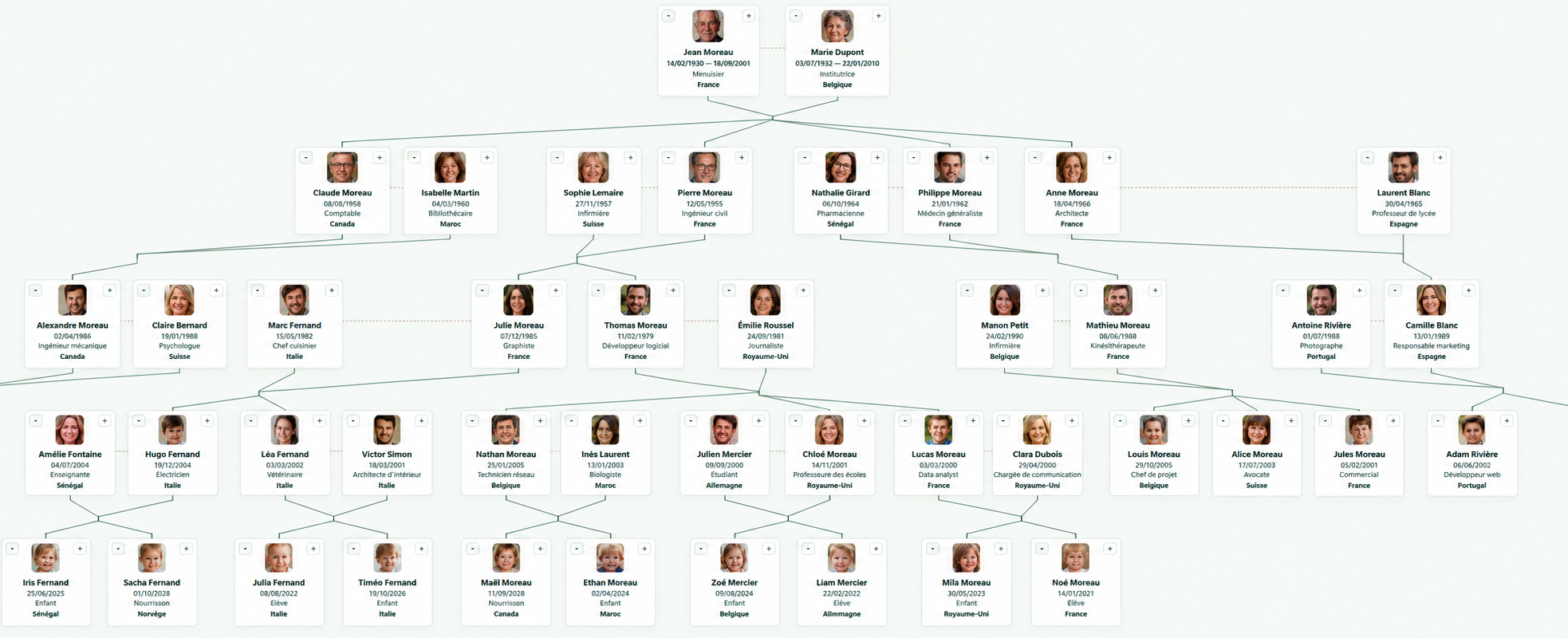
Everything you need to build your family tree.
Connected family tree
Start with one person, then add parents, partners, siblings and children through their family relationships.
Interactive tree
Choose how the tree is displayed. For example, you can show only the genetic relationships of a selected person.
Detailed profiles
Store personal information, family relationships and important events for each person.
Multiple photos
Add one or more photos to each person and freely crop the main profile picture.
Smart relative creation
When you add a relative, FamilyTree can automatically prefill related parents, siblings or children.
Interactive world map
Explore your family's birth and residence locations on an interactive world map.
Sources & archives
Keep archive repositories, references and sources in a dedicated section, then link them to the relevant profiles.
Import & export
Import an existing tree from GEDCOM or GEDZIP, then export your data as GEDCOM 7, SVG, PNG or the native .familytree format.
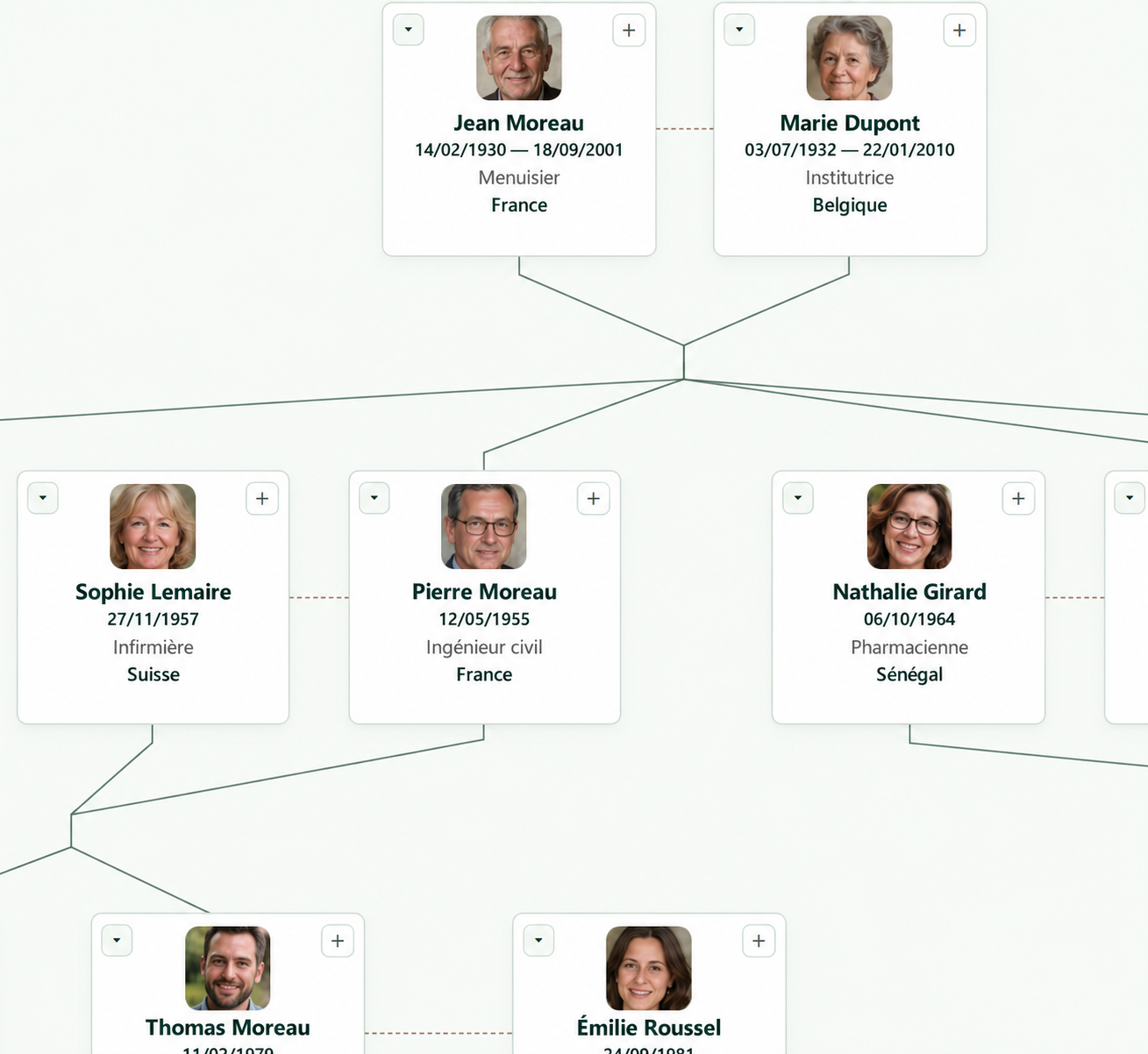
Build family relationships naturally.
Create the first person, then grow the tree around them by adding relatives directly.
- 🔍 Easy interactive zoom
- ✓ Search bar
- ✓ Center the tree on a selected profile
- ✓ Filtering options (parental lines, genetic relationships, etc.)
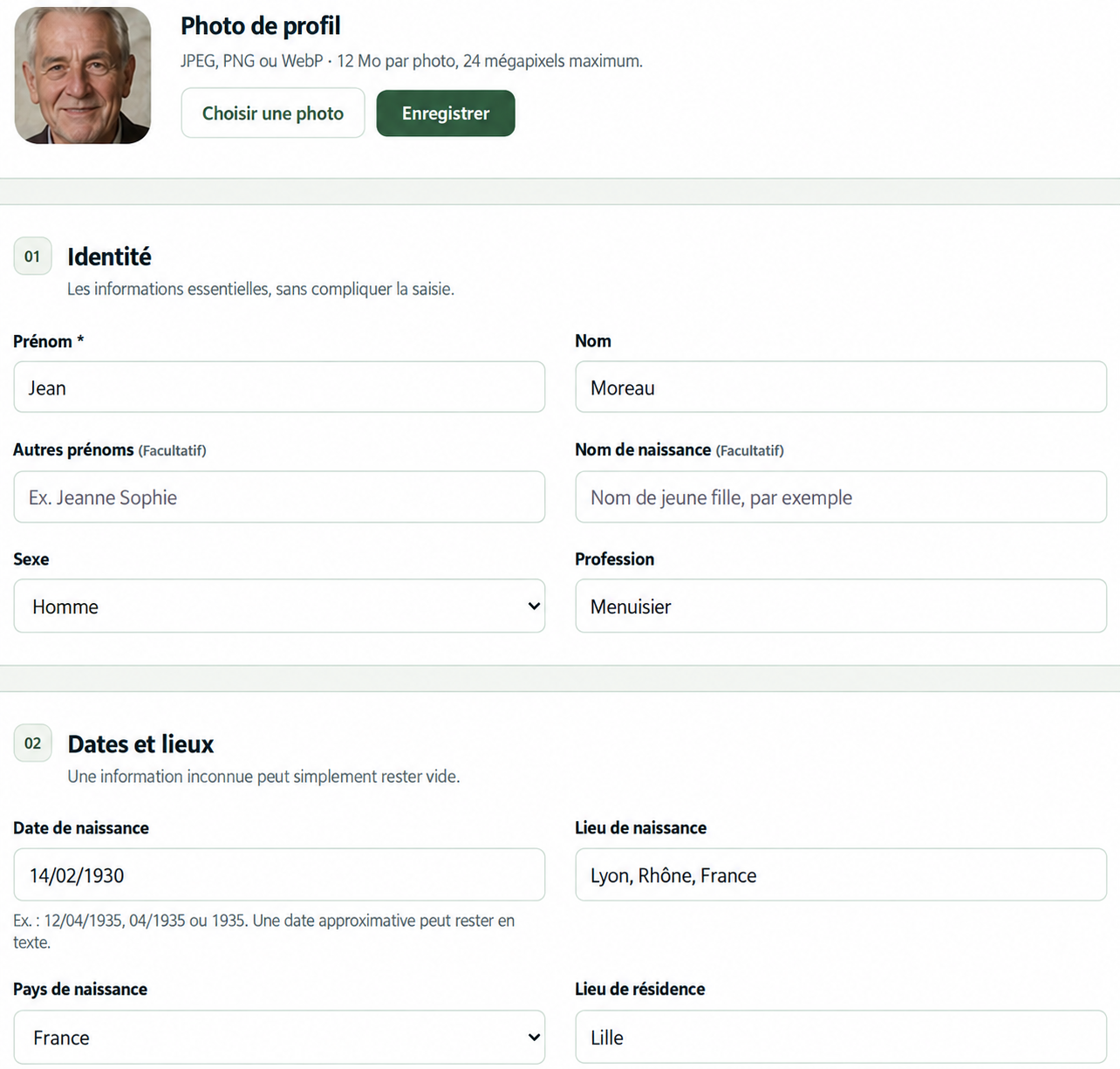
Keep the details behind every person.
Each family member has a profile you can complete with information, photos and events.
- ✓ Detailed information
- ✓ Multiple photos with optional captions
- ✓ Croppable profile picture
- ✓ Add dated events (marriage, baptism, graduation, etc.)
- ✓ Free-form notes for easily recording information
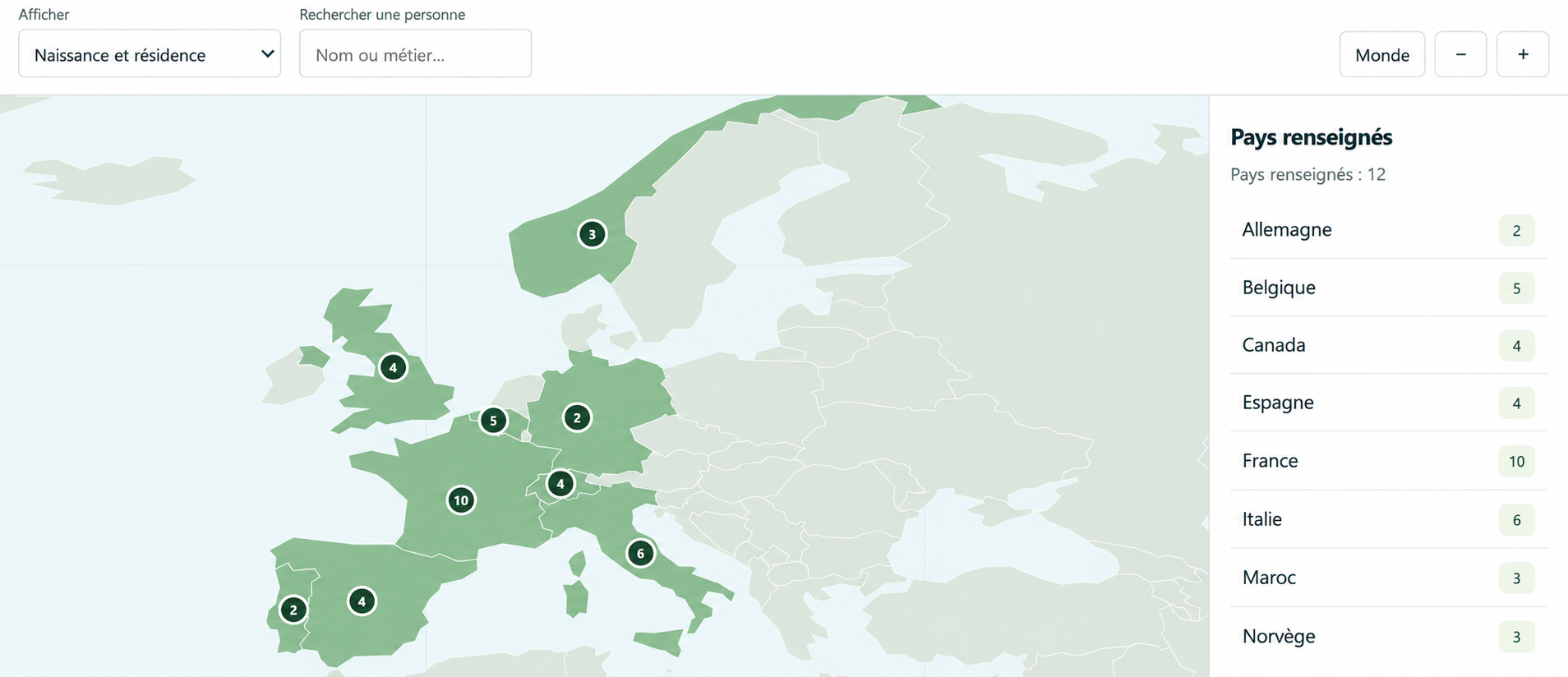
See where your family lived.
Explore family members' birth and residence locations on an interactive map.
- ✓ Birth locations
- ✓ Residence locations
- ✓ Worldwide geographic view
- ✓ View profiles by selecting a country
Your family tree stays on your computer.
FamilyTree is designed for local use. Your genealogy is stored on your computer rather than inside an online genealogy platform.
- ✓ Local tree storage
- ✓ GEDCOM and GEDZIP import
- ✓ GEDCOM 7 export
- ✓ SVG and PNG export
- ✓ Native .familytree export
- ✓ Backups
One license. One payment.
No monthly subscription.
FamilyTree
The complete software with all features shown on this page.
- ✓ Interactive family tree
- ✓ Detailed profiles
- ✓ Photos and events
- ✓ Interactive map
- ✓ GEDCOM / GEDZIP import
- ✓ GEDCOM 7 / SVG / PNG export
- ✓ Local storage and backups
Frequently asked questions
Is FamilyTree a subscription?
No. FamilyTree is sold as a single license for a one-time payment of $39.99 USD.
Where is my family tree stored?
FamilyTree uses local storage. Your family tree data stays on your computer rather than inside an online genealogy platform.
Can I import an existing GEDCOM file?
Yes. FamilyTree supports GEDCOM and GEDZIP imports.
Which export formats are available?
FamilyTree can export to GEDCOM 7, SVG, PNG and its native .familytree format.
Can I add multiple photos to one person?
Yes. Each profile can contain multiple photos, and the main profile picture can be cropped.
Can FamilyTree create backups?
Yes. FamilyTree includes backup functionality so you can keep copies of your family tree.